DynamicProps
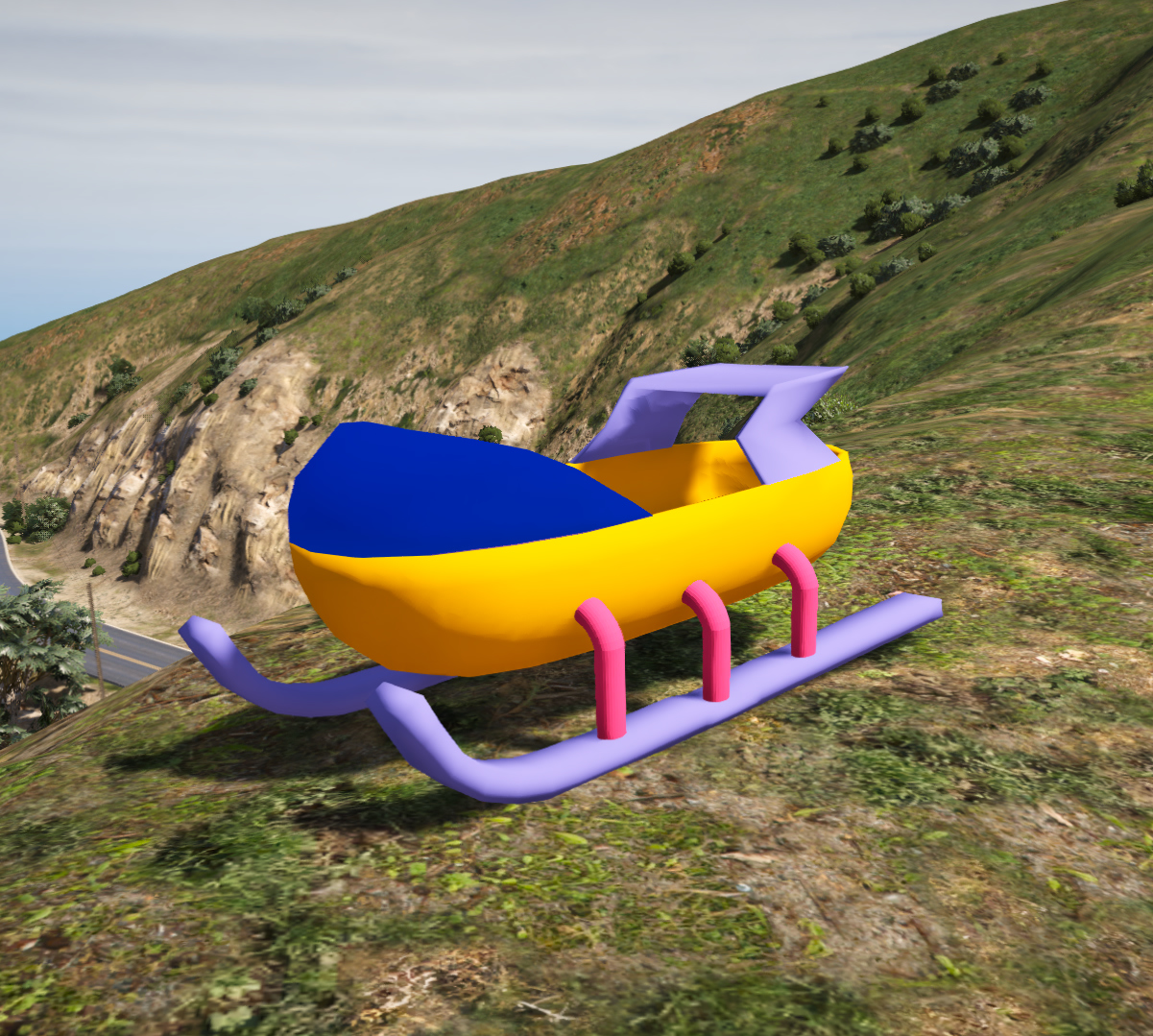
Dynamic Snow Sled Prop for GTA 5 | Interactive Winter Sled Asset
High Quality Textures
Easy Installation
Regular Updates
24/7 Support
₹999.00
Add a unique winter-themed Dynamic Snow Sled Prop to your GTA 5 and FiveM projects. This custom inte...
See More
- High-quality textures
- Compatible with latest game version
- Easy installation
- Regular updates
Dynamic Props Installation (Single Player)
1. Open OpenIV and enable Edit Mode.
2. Go to mods\update\x64\dlcpacks\
3. Create or copy the provided "dynprops" DLC folder.
4. Add the dynprops entry to dlclist.xml.
5. Place the included prop files inside the dynprops DLC pack.
6. Open dynprops.ytyp.
7. Add the provided prop definition to dynprops.ytyp.
8. Save all changes.
9. Launch GTA V.
10. Spawn the prop using Menyoo, CodeWalker, Map Editor, or your preferred mapping tool.
Note:
Dynamic Props use the custom dynprops DLC pack system and require registration inside dynprops.ytyp. This installation method differs from standard Addon Props and is specifically designed for animated and interactive assets.
1. Open OpenIV and enable Edit Mode.
2. Go to mods\update\x64\dlcpacks\
3. Create or copy the provided "dynprops" DLC folder.
4. Add the dynprops entry to dlclist.xml.
5. Place the included prop files inside the dynprops DLC pack.
6. Open dynprops.ytyp.
7. Add the provided prop definition to dynprops.ytyp.
8. Save all changes.
9. Launch GTA V.
10. Spawn the prop using Menyoo, CodeWalker, Map Editor, or your preferred mapping tool.
Note:
Dynamic Props use the custom dynprops DLC pack system and require registration inside dynprops.ytyp. This installation method differs from standard Addon Props and is specifically designed for animated and interactive assets.
No comments yet. Be the first to comment!
Join the Discussion
Please login to share your thoughts about this product.