Peds
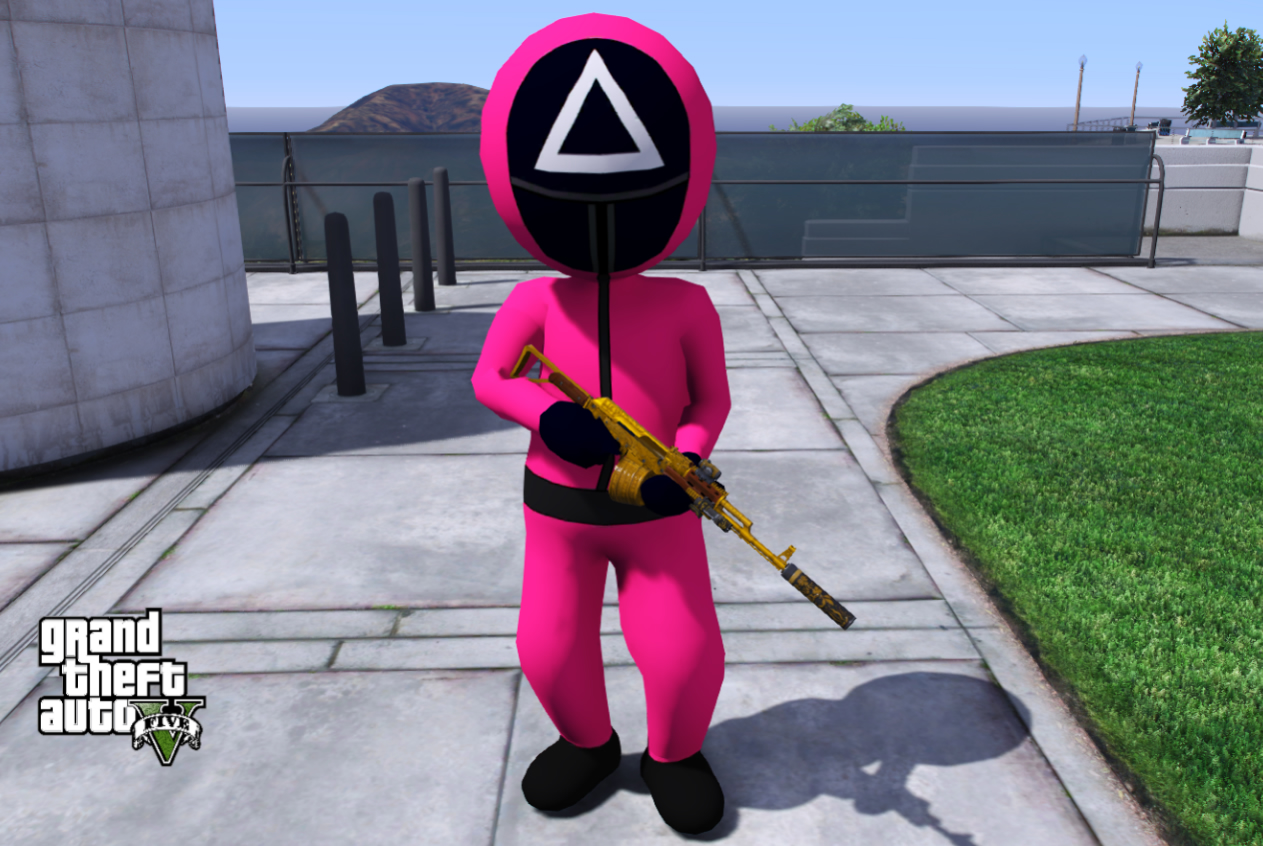
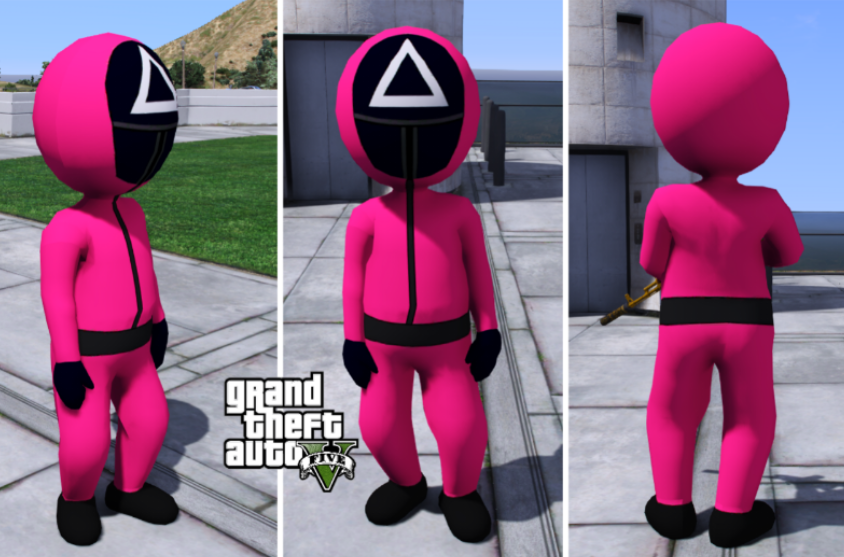
Squid Game Character PED | GTA 5 & FiveM Add-On Player Model
High Quality Textures
Easy Installation
Regular Updates
24/7 Support
FREE
Bring the iconic Squid Game-inspired character into GTA 5 with this high-quality custom PED. Designe...
See More
- High-quality textures
- Compatible with latest game version
- Easy installation
- Regular updates
Single Player Installation:
1. Extract the downloaded ZIP file.
2. Open OpenIV and enable Edit Mode.
3. Install the PED files into your Add-On PEDs pack or preferred DLC pack.
4. Save all changes.
5. Launch GTA V.
6. Spawn the character using your preferred trainer or Add-On PED menu.
FiveM Installation:
1. Extract the ZIP file.
2. Create a new resource folder inside your server resources directory.
3. Copy all provided files into the resource folder.
4. Add the resource name to your server.cfg file.
5. Restart your FiveM server.
6. Spawn the PED using your preferred spawn menu or script.
Requirements:
- OpenIV (Single Player)
- Add-On PED Support
- FiveM Server Access (FiveM)
Support:
If you experience installation issues, please contact us for assistance.
1. Extract the downloaded ZIP file.
2. Open OpenIV and enable Edit Mode.
3. Install the PED files into your Add-On PEDs pack or preferred DLC pack.
4. Save all changes.
5. Launch GTA V.
6. Spawn the character using your preferred trainer or Add-On PED menu.
FiveM Installation:
1. Extract the ZIP file.
2. Create a new resource folder inside your server resources directory.
3. Copy all provided files into the resource folder.
4. Add the resource name to your server.cfg file.
5. Restart your FiveM server.
6. Spawn the PED using your preferred spawn menu or script.
Requirements:
- OpenIV (Single Player)
- Add-On PED Support
- FiveM Server Access (FiveM)
Support:
If you experience installation issues, please contact us for assistance.
No comments yet. Be the first to comment!
Join the Discussion
Please login to share your thoughts about this product.